In this article
- Key Takeaways
- What Is an AI Powered Marketing Workflow?
- Why Do Most Businesses Fail with AI in Marketing?
- How Do You Build an AI Powered Marketing Workflow?
- What Does an AI Marketing Workflow Look Like for a Real Business?
- Which Marketing Tasks Should You Not Hand Over to AI?
- Does Google Penalise AI Written Content?
- How Long Does It Take to Set Up an AI Marketing Workflow?
- Frequently Asked Questions
- Ready to Build Your Own AI Powered Marketing Workflow?
You have probably tried ChatGPT for a few Instagram captions or a blog post. Some days the output is useful. Other days it sounds like a robot wrote it, and you end up rewriting everything yourself. That is not an AI problem. It is a workflow problem.
An AI powered marketing workflow fixes this. Instead of opening a chatbot whenever you remember, you set up a repeatable system where AI handles the slow, boring parts and your team handles judgement, voice and final approval.
In this guide, we will show you exactly how to build one, step by step. We will cover which tasks to hand over, which tools to use, where humans must stay involved, and what this looks like for a real business in Gurgaon.
Key Takeaways
- An AI powered marketing workflow is a fixed, repeatable process where AI drafts and sorts, and people check and approve.
- Start with one task you repeat every week, not your whole marketing plan.
- A written brand brief and saved prompt templates matter more than which AI tool you pick.
- Always keep a human review step before anything goes live.
- Measure time saved and results every month, then improve the weakest step.
What Is an AI Powered Marketing Workflow?
An AI powered marketing workflow is a set of connected steps where AI tools handle repetitive marketing tasks, like research, first drafts, reporting and sorting data, while people handle strategy, editing and approval. The goal is not to replace your team. It is to give them back hours every week for work that needs real thinking.
Think of it like a kitchen in a busy restaurant. The prep cook chops vegetables (AI). The head chef decides the menu, tastes every dish and sends it out (you). Without the head chef, food goes out wrong. Without the prep cook, everything is slow.
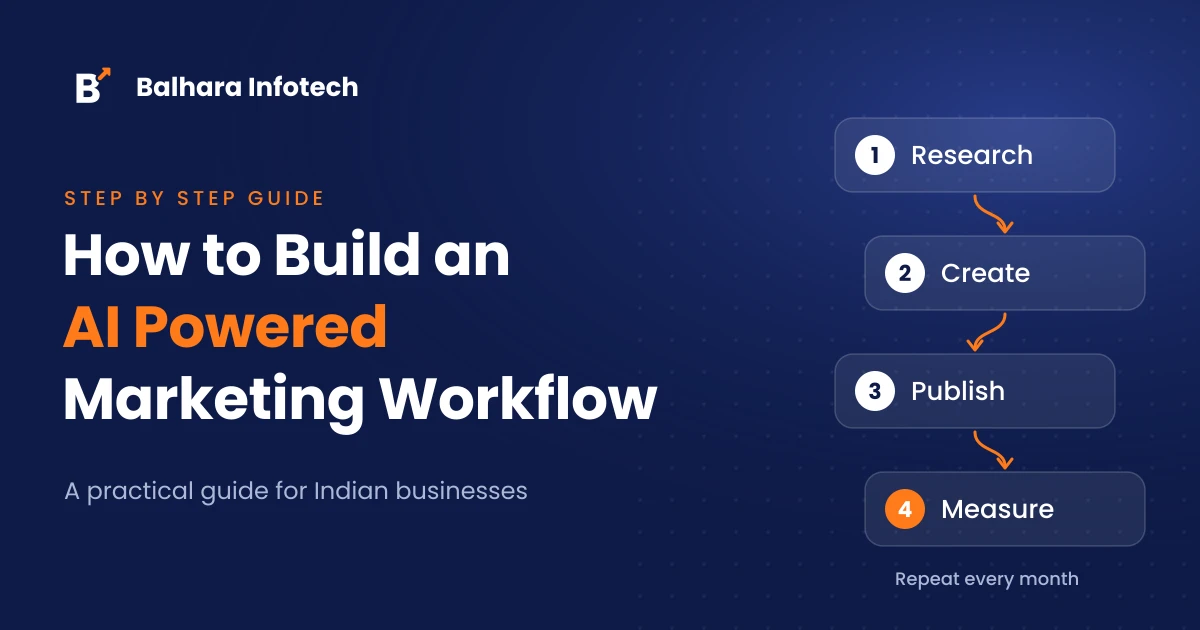
A good workflow has four clear parts:
- Input: what goes in (keywords, customer questions, sales data, your brand brief)
- AI step: what the AI does with it (summarise, draft, sort, suggest)
- Human check: who reviews it and what they look for
- Output: where it ends up (your website, Google Business Profile, email, ads)
Why Do Most Businesses Fail with AI in Marketing?
Most businesses fail with AI in marketing because they use it randomly, with no brief, no saved prompts and no review step. Every person types different instructions, so every output sounds different. Content gets published unchecked, mistakes slip through, and the brand starts sounding generic.
At Balhara Infotech, this is the most common pattern we see when a new client comes to us. The owner of a coaching centre in Noida, for example, had five people writing social posts with ChatGPT. Each one prompted it differently. The result was five different brand voices on one Instagram page.
The fix was not a better tool. It was writing things down: one brand brief, three prompt templates and one person responsible for final approval.
How Do You Build an AI Powered Marketing Workflow?
You build an AI powered marketing workflow in eight steps: map your current process, pick one task to start with, choose your tools, write a brand brief and prompt templates, connect the tools, add human review checkpoints, measure the results and improve every month. Start small, prove it works, then expand.
Here is each step in detail.
Step 1: Map What Your Team Does Every Week
Before you add any AI, write down every marketing task your team repeats. Keep it simple. A Google Sheet with three columns is enough: task name, how often it happens, and how many hours it takes.
For most small businesses, the list looks something like this:
- Writing blog posts or service pages
- Creating social media posts
- Replying to Google reviews
- Writing Google Business Profile updates
- Preparing monthly reports
- Researching keywords and competitor content
- Writing email newsletters
You will quickly see which tasks eat the most time. Those are your first candidates.
Step 2: Pick One Task to Automate First
Do not try to automate everything in week one. Pick one task that is repetitive, takes a lot of time and is low risk if a draft goes wrong (because a person will check it anyway).
Good first choices:
- Replying to Google reviews
- First drafts of social posts
- Turning a blog post into five social captions
- Summarising monthly data from Search Console and Google Analytics
Poor first choices are anything legal, medical or financial, or anything that speaks directly to an angry customer. Keep those fully human for now.
Step 3: Choose the Right AI Tools for Each Job
The right tools depend on the job, not on what is trending. Most Indian small businesses need only three types of tools: a writing assistant, an automation tool to connect apps, and the free Google tools they already have.
| Job | Tool options | What it does in your workflow |
|---|---|---|
| Drafting and research | ChatGPT, Claude, Gemini | First drafts, outlines, summaries, idea lists |
| Connecting apps | Zapier, Make, n8n | Moves data between tools automatically |
| SEO data | Google Search Console | Shows which queries bring traffic and clicks |
| Website data | Google Analytics 4 | Tracks visitors, leads and conversions |
| Local visibility | Google Business Profile | Posts, reviews and local search presence |
| Design | Canva | Social graphics and simple creatives |
You do not need all of these on day one. A writing assistant plus a shared Google Sheet is enough to get started.
Step 4: Write a Brand Brief and Save Your Prompt Templates
This is the step most people skip, and it is the one that matters most. A brand brief is a one page document the AI reads before every task. It tells the AI who you are, who you talk to, and how you sound.
Your brand brief should include:
- What your business does, in two lines
- Who your customers are (age, city, problems they have)
- Your tone (for example: friendly, simple Hindi English mix, no jargon)
- Words you always use and words you never use
- Two or three examples of past content you liked
Then save a prompt template for each task. Here is a simple one for Google review replies:
“Using the brand brief above, write a reply to this Google review. Keep it under 60 words. Thank the customer by name, mention the specific thing they liked, and invite them back. Do not use the word ‘delighted’. Review: [paste review]”
When everyone on the team uses the same template, the output stays consistent no matter who presses the button.
Step 5: Connect Your Tools So Data Moves on Its Own
Once your prompts work well manually, you can connect tools so the routine parts run by themselves. Automation tools like Zapier, Make or n8n act as the bridge between your apps.
A simple example: every time a new Google review comes in, the automation sends it to your AI tool with your saved prompt, and drops the draft reply into a Google Sheet. Your team opens the sheet once a day, edits where needed and posts.
Start with one connection. Test it for two weeks. Only then add the next one.
Step 6: Add Human Review Checkpoints
Every AI powered marketing workflow needs at least one person who checks the output before it goes live. AI can get facts wrong, invent details, or miss the tone completely. A quick human review catches this.
Give your reviewer a short checklist:
- Are all facts, prices and dates correct?
- Does it sound like us, or like a generic chatbot?
- Is there anything a customer could misread?
- Have we added something only we know (a real example, a local detail, an opinion)?
That last point is important. Google’s guidance on AI content says it rewards helpful, original content whatever way it is produced, and that using automation mainly to manipulate rankings goes against its spam policies. The human layer is where your experience gets added, and that is what makes content worth ranking.
Step 7: Measure What Changed
After a month, compare before and after. Track two kinds of numbers:
- Time: how many hours the task took before, and how many it takes now
- Results: website traffic and clicks in Search Console, leads from your contact form, review response rate, social engagement
If time went down and results stayed the same or improved, the workflow is working. If results dropped, the AI step or the review step needs fixing.
Step 8: Improve One Step Every Month
A workflow is never finished. Once a month, look at the weakest step and improve it. Maybe the prompt needs better examples. Maybe the reviewer needs a clearer checklist. Maybe it is time to automate the next task on your list from Step 1.
Small monthly improvements add up much faster than a big overhaul once a year.
What Does an AI Marketing Workflow Look Like for a Real Business?
Here is a simplified example based on the kind of setup we build for local service businesses.
The business: a dental clinic in Gurgaon with one receptionist handling marketing alongside patient calls.
The problem: Google reviews went unanswered for weeks, the Google Business Profile had not been updated in months, and the blog had two posts from last year.
The workflow we set up:
- Every Monday, the receptionist pastes the top patient questions from the past week into a shared sheet.
- The AI tool, using the clinic’s brand brief, turns these questions into one short blog post outline and two Google Business Profile post drafts.
- The dentist spends 20 minutes on Tuesday reviewing, correcting medical details and adding a personal tip.
- New reviews are pulled into a sheet automatically with a draft reply each. The receptionist edits and posts them daily.
- At the end of the month, we review Search Console and Google Business Profile insights together.
What changed: reviews now get replies within a day or two, the profile is updated every week, and the blog publishes regularly. The dentist’s tips are what make each post useful, and that is something no AI tool could write on its own.
Which Marketing Tasks Should You Not Hand Over to AI?
You should not hand over strategy, pricing decisions, crisis replies, legal or medical claims, or final approval of anything public. AI is good at drafts and data. It is not good at judgement, accountability or understanding the full context of your business and your customers.
Keep these fully human:
- Deciding which services to promote and why
- Replying to complaints or negative reviews that need real care
- Any claim about health, money or legal results
- Final sign off on content that carries your name
Does Google Penalise AI Written Content?
No, Google does not penalise content just because AI helped write it. Google’s official guidance says it focuses on the quality and helpfulness of content, not how it was produced. What it does act against is content made mainly to manipulate rankings, including mass produced pages with little value.
So the question is not “did AI write this?” It is “would a real customer find this useful?” Adding first hand experience, accurate facts and a clear point of view is what keeps your content on the right side.
How Long Does It Take to Set Up an AI Marketing Workflow?
A basic AI marketing workflow for one task can be set up in a week: a day to map tasks, a day or two for the brand brief and prompts, and a few days of testing. A full workflow covering content, reviews, social and reporting usually takes four to eight weeks to settle, because each step needs testing before you add the next.
At Balhara Infotech, we usually advise clients to run each new step for at least two weeks before judging it. The first week always needs prompt adjustments.
Frequently Asked Questions
What is the best AI tool for marketing?
There is no single best tool. ChatGPT, Claude and Gemini all handle writing and research well. The bigger difference comes from your brand brief, saved prompts and review process, not the tool you choose.
Can a small business build an AI marketing workflow without a developer?
Yes. Most small businesses can start with a writing assistant, a shared Google Sheet and a no code automation tool like Zapier or Make. You only need a developer for complex custom integrations.
Will AI replace my marketing team?
No. AI speeds up drafting, research and reporting, but people still decide strategy, check accuracy and add real experience. In practice, AI frees your team from repetitive work so they can focus on what grows the business.
Is AI generated content bad for SEO?
Not by itself. Google judges content on how helpful and original it is. AI drafts that are edited, fact checked and enriched with real experience can perform well. Unedited, mass produced pages usually do not.
How much does it cost to run an AI marketing workflow?
It depends on the tools and how much you automate. Many tools offer free plans or low monthly subscriptions, and Google Search Console, Google Analytics and Google Business Profile are free. Check current pricing on each tool’s website before you commit.
Which marketing task should I automate first?
Start with something repetitive and low risk, such as Google review replies, social post drafts or monthly report summaries. These save time quickly and are easy for a person to check before publishing.
How do I stop AI content from sounding robotic?
Give the AI a clear brand brief with tone rules and examples, ban the phrases you dislike, and always have a person edit the draft. Adding a real example or local detail in every piece makes the biggest difference.
Ready to Build Your Own AI Powered Marketing Workflow?
An AI powered marketing workflow is not about using more tools. It is about using the right ones in the right order, with your experience in the final step. Start with one task, write your brief, keep a person in charge of approval, and improve a little every month.
If you want help working out where AI fits into your SEO and marketing, our team at Balhara Infotech can look at your current setup and show you what to fix first. No lock in contracts, and monthly reports in plain language.
Get a free SEO audit and we will show you where your marketing is losing time and traffic.